
Preparation
-
Make sure you have completed Onchain Registration in STEP 2.
-
Toggle On
Withdrawable.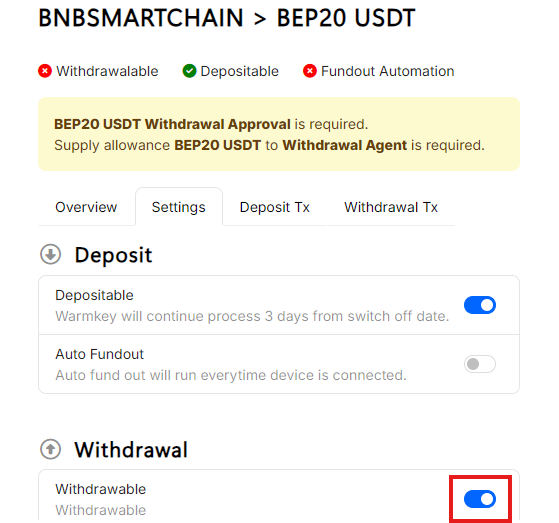
On WEB.
Supply Gas & Allowances
Since user cannot always connect his phone to WEB all the time for payout action. So WARMKEY introduce Withdrawal Agent (wallet) to run payout all the time and your allowances is always protected by smart contract.
-
Supply gas to withdrawal agent, withdrawal agent needs native coin as gas to run payout.
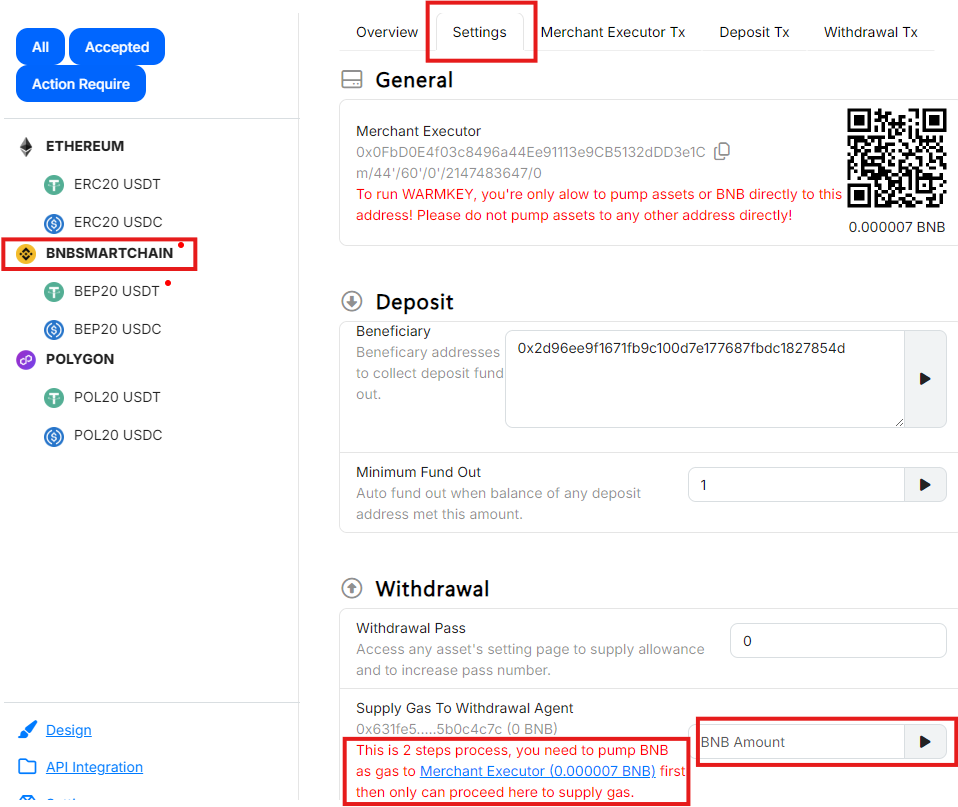
On WEB, many confuse to 2 steps process. It is easy, you got to fund gas in merchant executor at first then run supply gas by second.
-
This allows WARMKEY contract to transfer BEP20-USDT from merchant executor to supply allowance. Please make sure merchant executor has enough gas to execute approval.
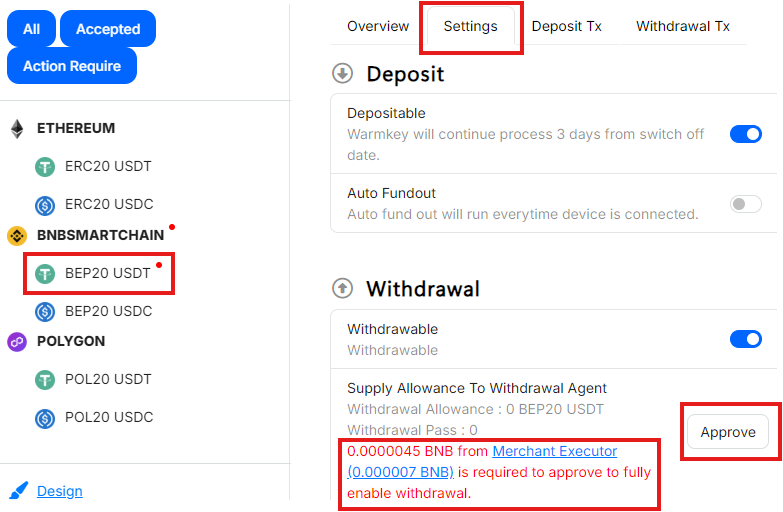
On WEB.
-
You are going to supply BEP20-USDT allowance. Please make sure merchant executor has enough BEP20-USDT to supply allowance.
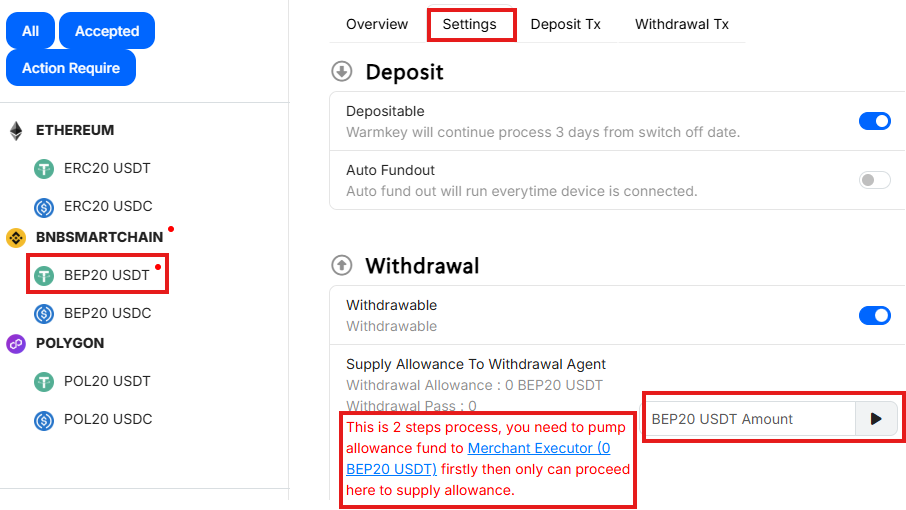
On WEB.
Low Balances Email Notification
-
You will receive email if balance below these threshold values.
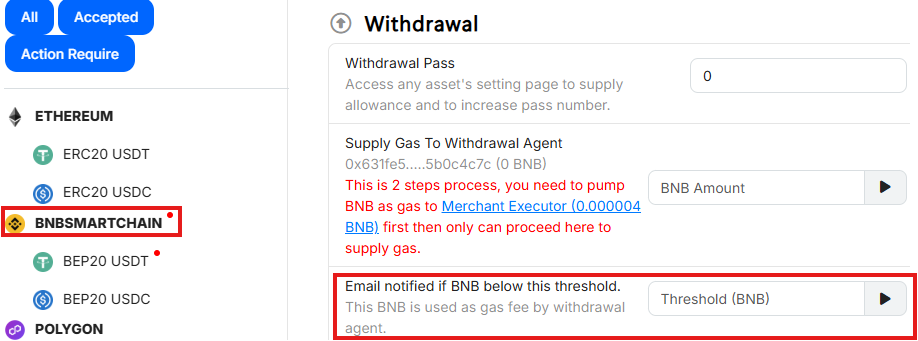
Set threshold for gas balance on WEB.
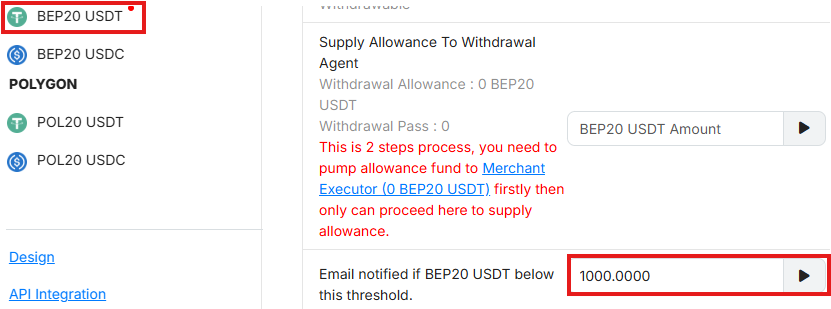
Set threshold for allowance balance on WEB.
-
Set email(s) to receive notification.
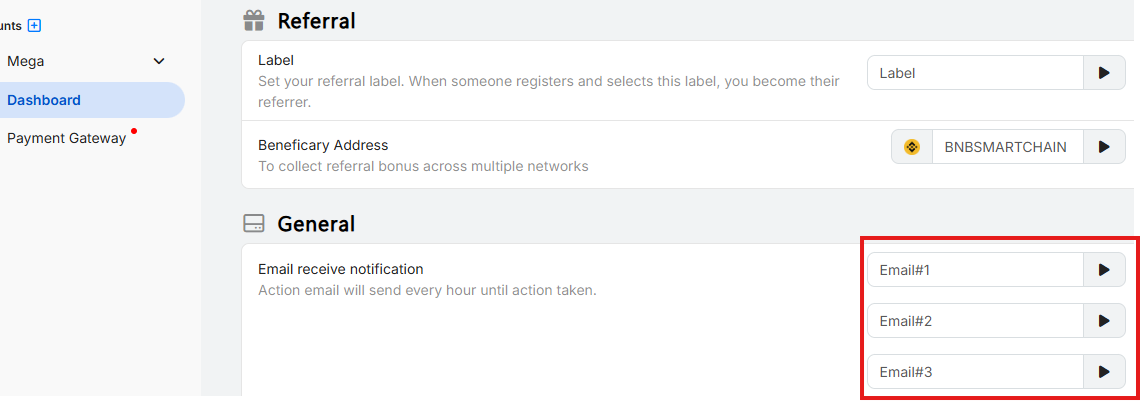
On WEB.