
Register Onchain's Merchant Account
-
In step 1, we register merchant account over BNBSMARTCHAIN in order to accept BEP20 USDT. Beneficiary address is important, it uses to collect fund that collected from many deposit addresses, fill in address that derived from ledger/trezor is recommended.
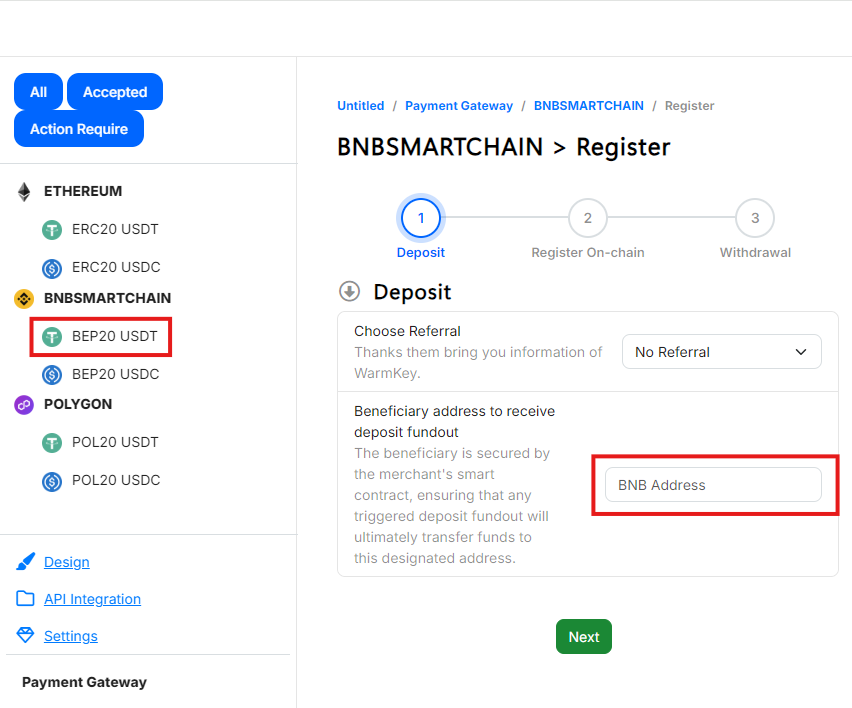
On WEB.
-
In step 2, follow screen's instruction and do transfer required amount of BNB into
Merchant Executoraddress.Merchant Executoris an action-only wallet, it needs gas (BNB) to operate properly.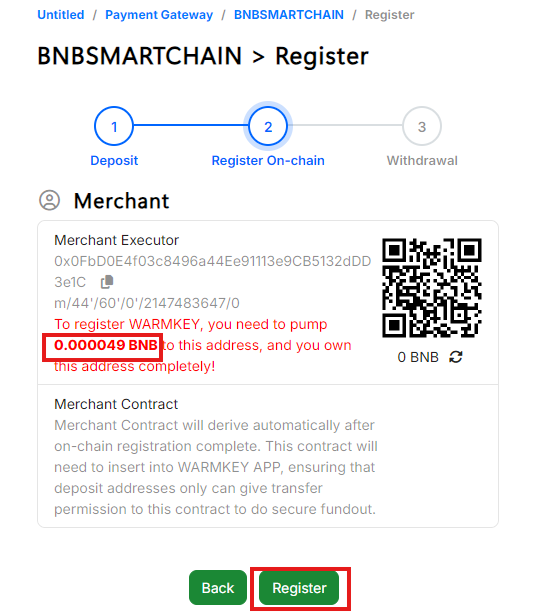
On WEB.
-
Now click
registerbutton and confirm sign on APP to finish this step.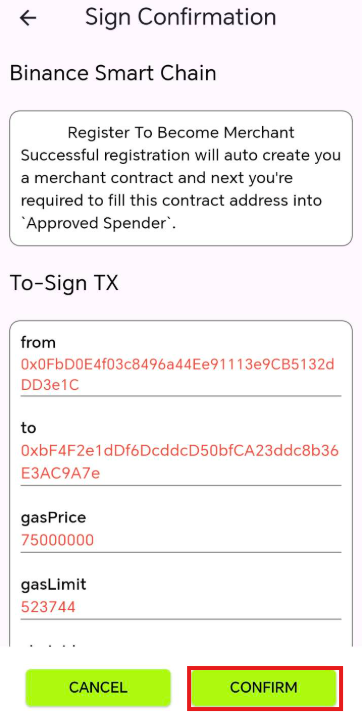
On APP.
-
In step 3, we recommend you to enable withdrawal. Navigate to 3. Enable USDT Withdrawal for more withdrawal setup.
Enable Deposit
-
Toggle on
Depositable&Auto fundout. The termAuto fundoutmeans web will auto consolidate payments from multiple deposit address to beneficiary address.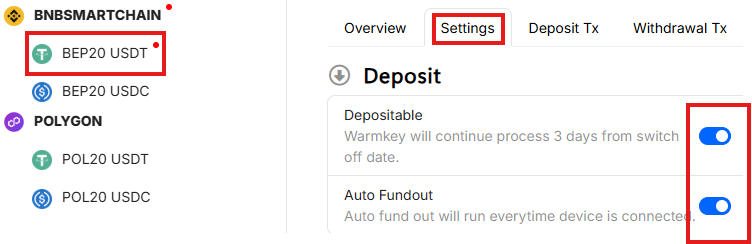
On WEB.
-
Follow WEB's instruction to edit sign policy on APP.
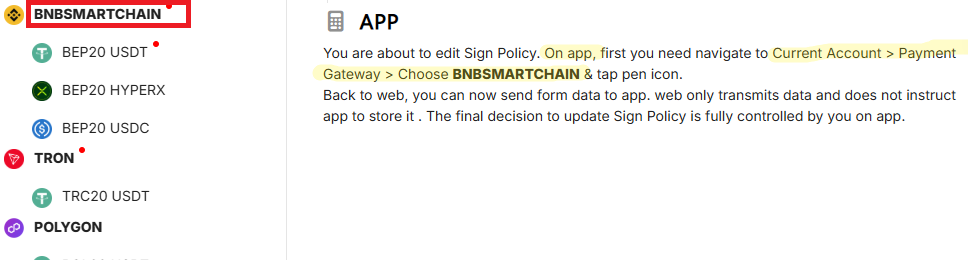
Follow this instruction on WEB and do open up the required page on APP.
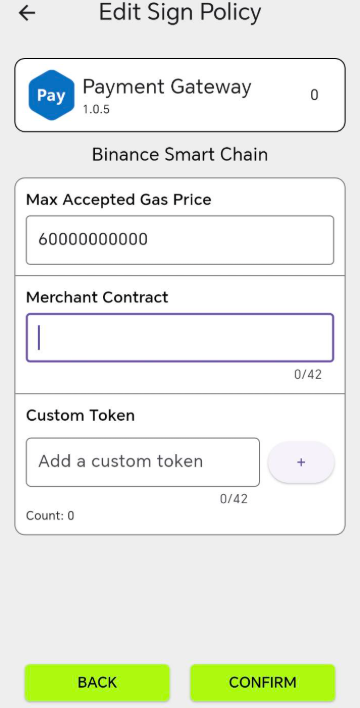
On APP. Do make sure you're located at this page.
-
Copy merchant address to APP then confirm to save it on APP.
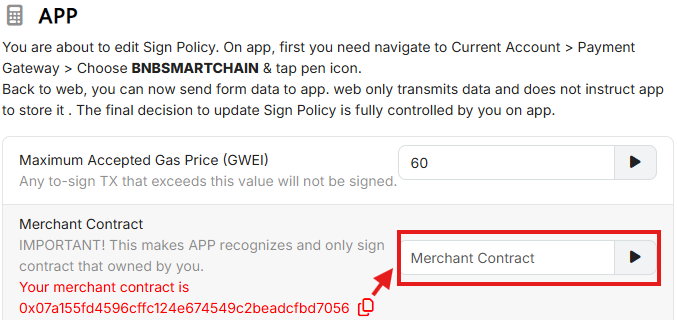
On WEB.
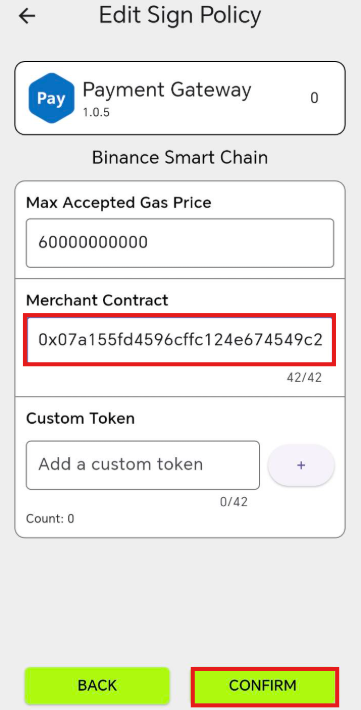
On APP.